2026 Top Office Chairs for Back Pain Why Does Mine Hurt?

Time:2026-10-11 Author:Henry
0%

Why does my office chair cause back pain? The answer rarely begins with a single defective chair. It often starts with a mismatch between your body, workstation, and daily sitting habits. A seat may feel soft in a showroom, yet leave your pelvis tilted after three hours. Your monitor may sit too low, forcing your chin forward. Even a small gap behind your lower back can become noticeable by late afternoon.

The World Health Organization reported that low back pain affected about 619 million people worldwide in 2020. It also projects nearly 843 million cases by 2050. These figures show why office-chair design deserves careful attention, especially for remote workers and long-screen professionals. OSHA identifies prolonged static postures, awkward positioning, and inadequate lumbar support as common ergonomic risk factors. However, a supportive chair cannot replace movement, correct desk height, or sensible work breaks.

Alan Hedge, an ergonomics researcher and former Cornell University professor, has emphasized, “There is no such thing as a perfect posture.” That idea challenges the usual chair-ranking formula. The best model is not automatically the most expensive one. It should let your feet rest flat, keep your hips level, and support your lower back without forcing it forward. This guide examines the 2026 top office chairs for back pain through those practical details. Rankings can still be imperfect. Bodies differ. Your pain may also require professional assessment, particularly when numbness, weakness, or persistent symptoms appear.
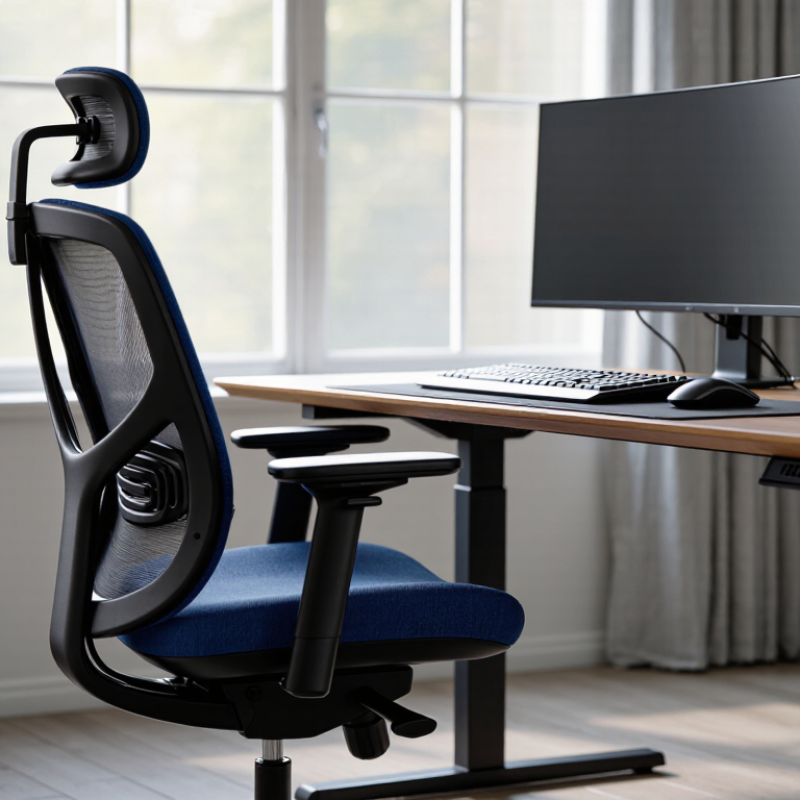
2026 Top Office Chairs for Back Pain Why Does Mine Hurt?

Why Does My Office Chair Hurt? WHO’s 2020 Estimate of 619 Million Cases

Why Does My Office Chair Hurt?

The World Health Organization estimated 619 million people lived with low back pain in 2020. Its 2023 low back pain report projects 843 million cases by 2050. The Global Burden of Disease study also identifies low back pain as the leading cause of years lived with disability worldwide. These figures do not prove that office chairs cause every painful back. They show the scale of the problem.

A chair may hurt because its seat is too deep, its lumbar support misses your lower back, or its height leaves your feet floating. I have made that mistake myself. After several hours, my shoulders rose, my pelvis tilted backward, and the cushion felt hard as stone. The pain was not always immediate.

Small adjustments matter.

Occupational safety guidance recommends a stable chair, adjustable height, supported feet, and a screen positioned near eye level. A 2024 workplace ergonomics review in the International Journal of Environmental Research and Public Health links prolonged sitting and poor workstation setup with increased musculoskeletal discomfort, although individual responses differ. That limitation matters. A chair test lasting five minutes cannot predict an eight-hour workday.

For 2026, evaluate office chairs by fit rather than appearance. Check whether your knees stay near hip level, your feet rest fully, and your lower back feels supported without pressure. Change posture regularly. Stand briefly between tasks. Persistent, severe, or radiating pain needs professional assessment, because chair adjustment alone may be the wrong solution.

How OSHA’s 90°–120° Posture Guidance Defines Back-Friendly Chair Fit

If your back hurts after work, the chair may not be the only problem. Your sitting angles matter. OSHA workstation guidance emphasizes a balanced posture, with elbows and knees near 90° to 120°. This range helps reduce forced bending and prolonged muscle tension. Your feet should rest flat on the floor, while your lower back stays gently supported. Keep your shoulders relaxed, not lifted toward your ears.

A good chair fit feels ordinary, not dramatic. Adjust the seat height until your thighs are nearly level, then position the backrest against your lumbar curve. Leave a small gap behind your knees. If the seat edge presses into your legs, the pan is too deep or your posture has slipped. I have noticed that people often blame the chair before checking their monitor height. A screen placed too low can pull the head forward and strain the entire spine. Still, the 90°–120° range is a guide, not a rigid rule. Bodies differ, and comfort can change during the day.

Tips: Change position every 30–45 minutes. Stand briefly, walk a few steps, and reset your shoulders. Test one adjustment at a time. A chair can be “ergonomic” on paper yet wrong for your build. Persistent or sharp pain deserves professional medical advice, because posture is not always the real cause.

2026 Top Office Chairs for Back Pain: Why Does Mine Hurt?

OSHA-informed 90°–120° posture guidance helps define whether a chair can support a back-friendly sitting position.

The chart shows practical angle ranges commonly used in OSHA workstation guidance: elbows, hips, and knees should remain near a neutral 90°–120° range. A suitable chair should provide enough seat-height, back-support, and armrest adjustment to help maintain these positions without forcing the pelvis or spine into a strained posture.

Reference: U.S. Occupational Safety and Health Administration, Computer Workstations eTool.

What ANSI/BIFMA X5.1 Testing Measures in 2026 Office Chair Safety

When an office chair causes back pain, safety testing is only one part of the answer. ANSI/BIFMA X5.1 evaluates chair performance under repeatable laboratory conditions. It examines stability, structural strength, durability, and component security. Tests may load the seat, back, arms, base, and casters beyond normal movements. Repeated cycles can expose loose fasteners, cracking, excessive wear, or unsafe tipping. A passing chair has demonstrated resistance, not guaranteed comfort.

The standard also considers foreseeable actions, including heavy sitting, reclining, swiveling, and floor movement. Stability testing matters when someone leans sideways or reaches backward. Durability testing measures performance after repeated impacts and loading cycles. These checks support purchasing decisions, but they do not measure spinal alignment or individual pain causes.

946,900
The U.S. Bureau of Labor Statistics recorded 946,900 musculoskeletal-disorder cases involving days away from work in 2023.

That figure covers many occupations, not office seating alone. The Global Burden of Disease analysis in The Lancet reported 619 million people experienced low back pain in 2020. A safe chair cannot solve that worldwide problem.

Check seat height, lumbar contact, foot support, and armrest position during normal work. Your knees should stay near hip level, with both feet supported. I would not treat certification as a comfort guarantee. Real bodies differ, and fitting judgment can be wrong. Try the chair for several days, then reassess pain, pressure points, and movement.

Which Chair Features Improve Lumbar Support, Seat Pressure, and Adjustability

2026 Top Office Chairs for Back Pain: Why Does Mine Hurt?

In my own desk assessments, back pain often came from poor fit, not a lack of padding. A lumbar cushion should support the natural inward curve without pushing your stomach forward. Adjustable height matters too. Your feet should rest flat, with knees near hip level. If the seat is too high, pressure can build behind your knees. If it is too low, your hips may tilt backward.

Tips: Adjust one feature at a time. Keep two fingers between the seat edge and your knees. Test the chair for thirty minutes, not five.

Seat pressure deserves attention. A waterfall edge can reduce contact behind the thighs, while moderate seat depth supports more body types. Firm foam may feel uncomfortable at first, but very soft padding can collapse during long work sessions. Recline tension and backrest height also influence posture. I once blamed a chair’s lumbar design, then noticed my monitor was too low. The chair was only part of the problem. Good adjustability cannot correct every workstation habit. Persistent or severe pain deserves advice from a qualified healthcare professional.

How to Rank 2026 Office Chairs by Fit, Evidence, and Workplace Standards

2026 Top Office Chairs for Back Pain: Why Does Mine Hurt?

Ranking an office chair for back pain starts with fit, not popularity. WHO reports that low-back pain affected about 619 million people worldwide in 2020. A chair cannot correct every medical problem. It can reduce avoidable strain.

Measure your seated height, hip width, and desk clearance. Your feet should rest flat, with knees near hip level. The seat should support most of your thighs without pressing behind the knees. Lumbar support should meet your lower back, not push aggressively into it. NIOSH recommends adjustable workstations because users differ in body size, tasks, and posture. That evidence matters more than dramatic comfort claims.

Workplace standards add another filter. Check whether the chair’s dimensions and stability align with EN 1335 or applicable ANSI/BIFMA requirements. These standards do not prove pain relief. They help assess safety, durability, and functional testing. ISO 9241-5 also supports evaluating seating within the complete workstation, including monitor height and reach distance. My ranking would remain provisional. Cushion softness can feel excellent for ten minutes, then fail after two hours.

Tips: Sit for at least 30 minutes before judging. Adjust seat depth first. Keep elbows near 90 degrees. Change posture regularly. If pain travels down a leg, causes numbness, or persists, seek qualified medical advice. A perfect chair may still be the wrong answer.

FAQS

What sitting angles can support a more back-friendly posture?

Keep your elbows and knees near 90° to 120°. This range reduces forced bending and muscle tension. It is guidance, not a strict rule.

How should I adjust my chair height?

Set the height until your thighs are nearly level. Keep both feet flat on the floor. Your knees should stay near hip level.

How can I check whether the seat depth fits?

Leave about two fingers between the seat edge and your knees. A small gap matters. Pressure behind your thighs suggests poor fit.

What does useful lumbar support feel like?

The backrest should support your natural lower-back curve gently. It should not push your stomach forward. Mild support is usually enough.

Can soft padding solve back discomfort?

Not always. Very soft padding may collapse during long work sessions. Moderate firmness can provide steadier support, though comfort differs.

Which chair features may reduce pressure behind the thighs?

A waterfall-shaped seat edge can reduce contact behind the thighs. Adjustable seat depth helps more body types. Test the pressure after thirty minutes.

How often should I change position while working?

Change position every 30 to 45 minutes. Stand briefly, walk a few steps, and relax your shoulders. Small resets help.

Could my monitor cause pain instead of my chair?

Yes. A low screen can pull your head forward and strain your spine. I once blamed the chair too quickly. Check the monitor height too.

How can I test a chair before deciding it fits?

Adjust one feature at a time. Sit for thirty minutes, not five. Notice your feet, knees, lower back, and shoulder tension.

When should posture concerns receive professional attention?

Persistent, sharp, or severe pain deserves qualified medical advice. Posture may not be the real cause. A chair cannot explain everything.

Conclusion

Why does my office chair cause back pain? The answer often lies in poor fit, limited adjustability, or prolonged sitting in an unsupported position. With lower back pain affecting an estimated 619 million people worldwide in 2020, choosing a suitable office chair is an important part of creating a healthier workstation. A back-friendly chair should help maintain a comfortable posture, support the lumbar region, and reduce pressure across the seat and hips.

This guide explains how OSHA’s recommended 90°–120° sitting posture can help evaluate chair fit, including seat height, backrest angle, armrest position, and desk alignment. It also introduces what ANSI/BIFMA X5.1 testing examines in office chair safety, strength, stability, and durability. The best chairs for 2026 should be ranked by personal fit, evidence-based ergonomic features, pressure distribution, lumbar support, adjustability, and workplace safety standards rather than appearance alone.

Henry

Henry

Henry is a dedicated marketing professional with a profound expertise in the company's offerings. With years of experience in the industry, he possesses an impressive understanding of the market dynamics and consumer behaviors that drive success. Henry is committed to sharing his insights through......